Your first post in 60 seconds
1. Connect the accounts you came for
Connect each one once, through its own official OAuth, from Accounts in the dashboard. After that you never touch it again — publishing is one call that fans out to all of them.
| Network | What it needs on every post |
|---|---|
| A photo or a video. Feed, Reel or Story — you pick the format. | |
| TikTok | A video. Vertical 9:16 works best. |
| YouTube | A video, plus a title and tags — PostWire writes both. |
| LinkedIn, X, Facebook, Reddit, Bluesky, Mastodon, Telegram, Discord | Text alone is fine. Media optional. |
That first column is the rule people hit first: the three big ones will not take a text-only post. Not a PostWire limit — the networks reject it. Have a clip ready and everything below works on all three.
Nothing to upload yet? Any of the text-friendly ones connects with a token or a URL in about a minute — Discord needs one webhook URL — so you can watch the whole thing work now and add the video networks after.
2. Write one line
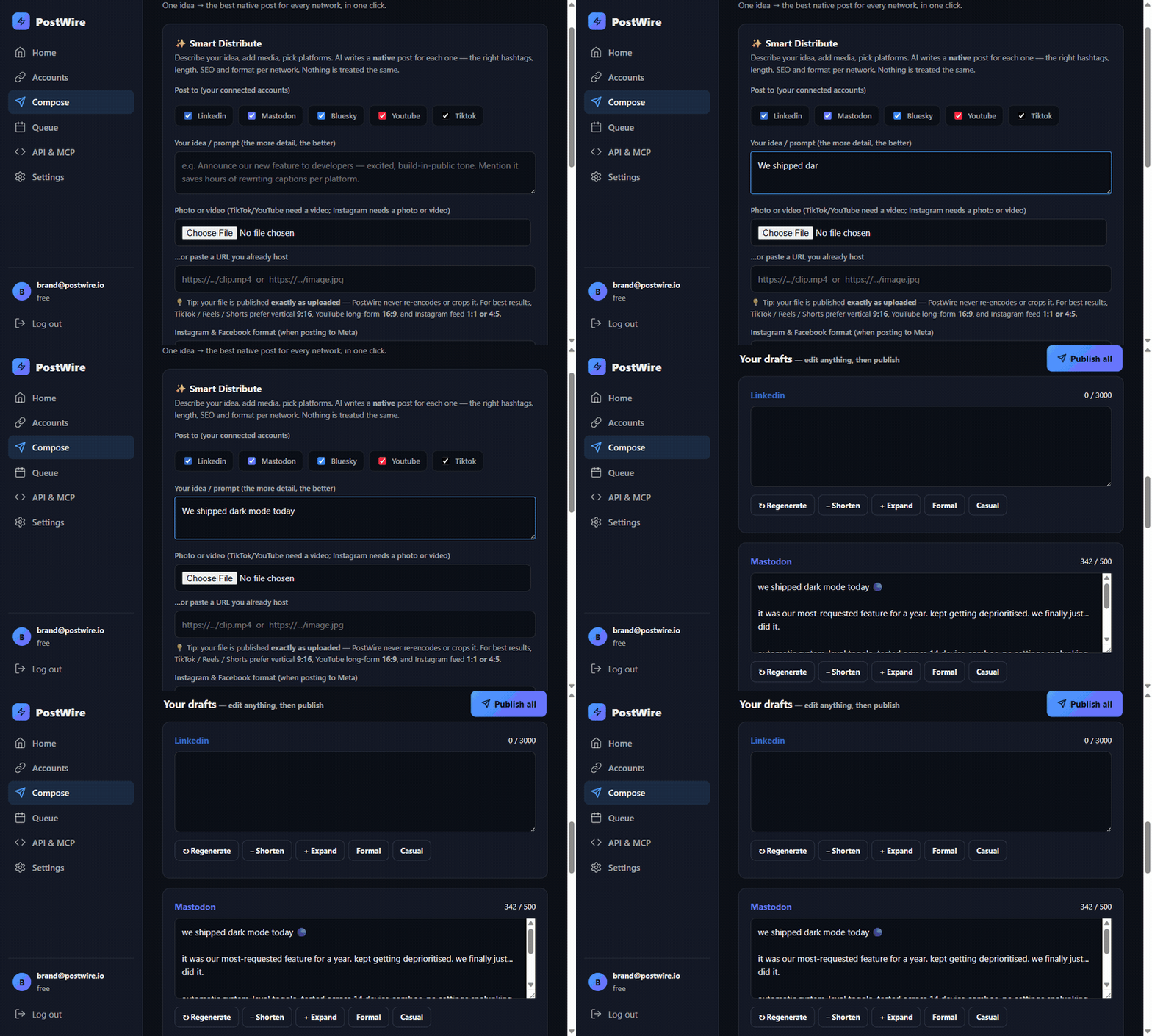
Open Compose, tick the networks, and describe the idea in plain language. Not a caption — the idea. "We shipped dark mode today" is enough.
3. Read what came back
This is the part worth pausing on. The same idea comes back written differently for each network, because each one rewards something different:
| Network | What it gets |
|---|---|
| A caption written for the feed, the Reel or the Story — whichever format you picked | |
| TikTok | A hook in the first line, five hashtags at most |
| YouTube | An SEO title and tags, not just a caption |
| Professional framing, the link moved to the first comment | |
| X | Thread-friendly, the link in a reply |
| Mastodon | CamelCase hashtags, which screen readers can actually read |
Every draft is editable, and each has Regenerate, Shorten,
Expand, Formal and Casual underneath. The character counter is
that network's real limit, so you can see a LinkedIn post at 964 of 3000 and a Bluesky one at 185 of
300 side by side.
If a network comes back empty, the response says so: it lists that platform under
missing rather than leaving you to notice an empty box.
4. Publish
Publish all sends each draft to its own network. You get one result per network:
{
  "posted": 2,
  "results": [
    {"ok": true,  "platform": "instagram", "url": "https://…"},
    {"ok": true,  "platform": "tiktok",    "url": "https://…"},
    {"ok": false, "platform": "youtube", "code": "media_required",
     "error": "youtube needs a video…"}
  ]
}
One network failing never stops the others. Instagram and TikTok went out; YouTube told you exactly what it wanted. Nothing is silently swallowed and nothing is half-published.
Doing the same thing from code
The composer is the two API calls the rest of this guide is about:
curl -X POST https://postwire.io/api/generate \
  -H "Authorization: Bearer pw_live_…" -H "Content-Type: application/json" \
  -d '{"prompt":"We shipped dark mode today","platforms":["instagram","tiktok","youtube"]}'

curl -X POST https://postwire.io/api/post \
  -H "Authorization: Bearer pw_live_…" -H "Content-Type: application/json" \
  -d '{"platforms":["instagram","tiktok","youtube"],"per_platform":{…},"video_url":"https://…/clip.mp4"}'
The same two steps exist as one action in MCP, n8n, Make and Zapier, where it is called Write and Publish. Full endpoint list in the API reference.
The one number to know
It is the number that surprises people, so it is better said early than discovered late. Every
publish returns posted — how many networks actually went out — and warns you before you
run out, not after.